
Dec 31: 6 AM – 2 PM • Jan 1: Closed

Online orders open

Help Center

Move On Scooters Help Center

Quick answers about reservations, deliveries, scooter use, troubleshooting, and support.

Reservations & Orders

How do I place a reservation?

Reserve directly on our website. Select your rental dates, choose your equipment, and complete checkout. You’ll receive a confirmation email once payment is completed.

Is my reservation confirmed right away?

Yes. Reservations are confirmed once payment is received.

Orders placed outside business hours will be scheduled for the next available delivery window.
Can I modify or cancel my reservation?

Changes and cancellations depend on availability and our cancellation policy. Please contact us as soon as possible.

Delivery & Pick-Up

Where do you deliver?
  • Disney Resorts, meet-and-greet only
  • Hotels, bell services when allowed
  • Airbnb and vacation rentals
Do you deliver inside theme parks?

No. We do not deliver or pick up inside theme parks, Disney Springs, or Universal CityWalk.

Can you deliver at an exact time?

We work with delivery timeframes, not exact times. This helps us manage routes and serve customers efficiently.

Using Your Scooter

How long does the battery last?

Battery range depends on rider weight, usage, terrain, and how long the scooter is used during the day.

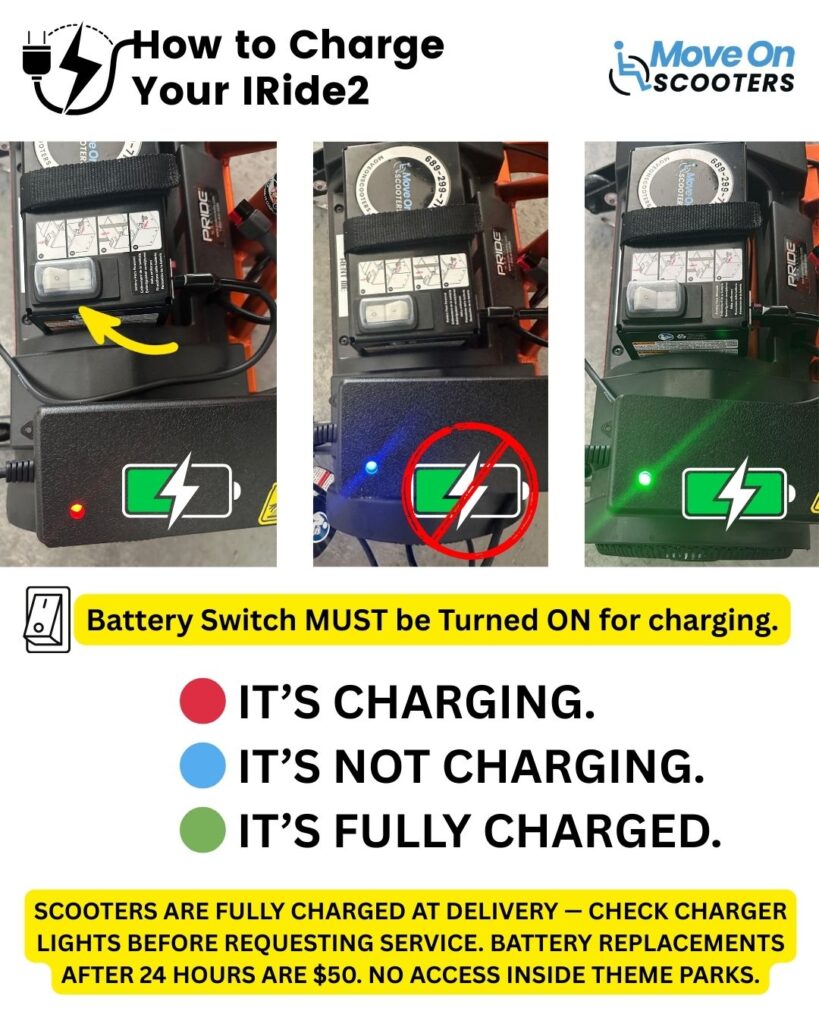
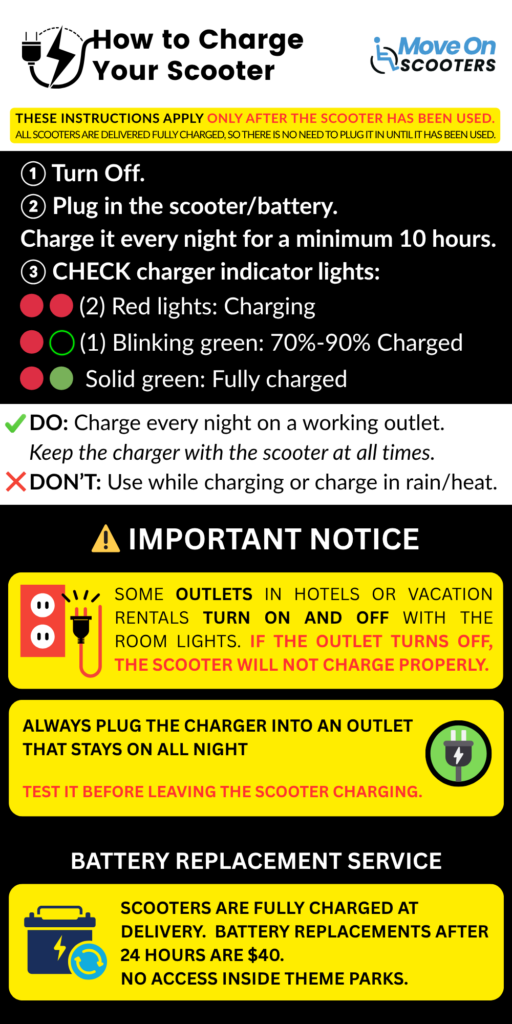
Do I need to charge the scooter?

Yes. A charger is included with each scooter.

Scooters must be charged at least 9 hours overnight after each day of use.

Troubleshooting & Support

Something doesn’t look right with my equipment. What should I do?

Contact us immediately. Please do not attempt repairs, adjustments, or force the scooter to move.

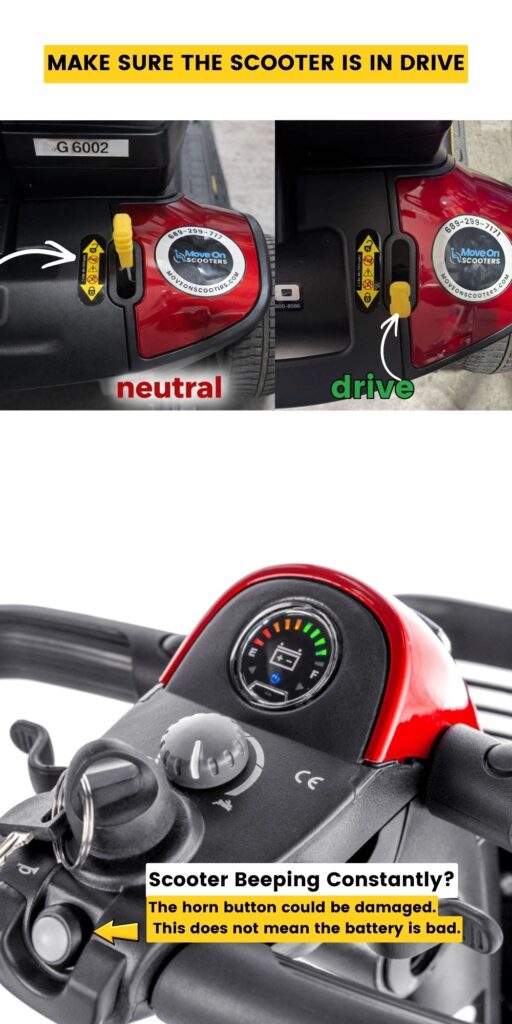
Why is my scooter beeping?

If your Pride mobility scooter is making a beeping sound, it usually means there is a safety, battery, moisture, or connection issue.

Quick checks for a beeping scooter
  1. Make sure the seat is fully locked.
  2. Make sure the tiller is upright and locked.
  3. Verify the battery pack is properly seated.
  4. Make sure the freewheel lever is fully set to DRIVE.
  5. Turn the scooter off, wait 30 seconds, and turn it back on.
  6. If the scooter got very wet, turn it off and allow it to dry before using it again.
What if the scooter got wet?

Excessive rain or moisture can cause the scooter to beep or stop working correctly.

Turn the scooter off and let it dry for a while before turning it back on. Do not keep driving if the scooter is very wet.
What if the scooter is still beeping?

Stop using the scooter and contact us immediately. Do not attempt repairs or force the scooter to move.
Need help?

Text us for the fastest support.

Text (689) 299-7171

GOGO MODELS CHARGING INSTRUCTIONS AND TIPS

IRIDE2 CHARGING INSTRUCTIONS

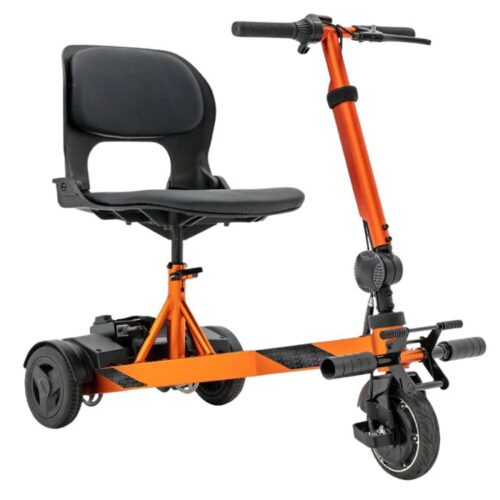
orange iRIde 2 scooter